<body><iframe src="http://www.blogger.com/navbar.g?targetBlogID=11154418&amp;blogName=A+Difference&amp;publishMode=PUBLISH_MODE_BLOGSPOT&amp;navbarType=BLUE&amp;layoutType=CLASSIC&amp;homepageUrl=http%3A%2F%2Fadifference.blogspot.com%2F&amp;searchRoot=http%3A%2F%2Fadifference.blogspot.com%2Fsearch" marginwidth="0" marginheight="0" scrolling="no" frameborder="0" height="30px" width="100%" id="navbar-iframe" title="Blogger Navigation and Search"></iframe> <div id="space-for-ie"></div>
"We sometimes feel that what we are doing is just a drop in the ocean. But the ocean would be less because of that missing drop."


Participate in the free K12 Online Conference


I'm presenting at:

I'm Presenting at Building Learning Communities 2008


Double click on any word on this page that isn't a link and you might learn something ...


K12 Online 2006


Search this site or the web
powered by FreeFind


Site search Web search


Leave me an audio comment


Peek in on all my classes at Mr. K's
Superglu Page

Previous Posts

Archives


Locations of visitors to this page

Links
Current Class Blogs
Dormant Class Blogs
My Workshops
Reflective Edubloggers

Why We Blog....


Creative Commons License
This work is licensed under a Creative Commons
Attribution-NonCommercial
-ShareAlike 2.5 License
.
A Difference
Thursday, May 08, 2008

Reminder to self ...

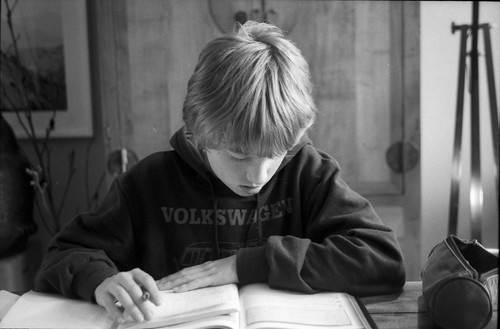
... it's really important how we speak to kids. Give them a consistent message; and keep it positive. Good advice for everyone really.

Photo Source: The First Indication That Life Makes No Sense

Labels:


Français/French Deutsch/German Italiano/Italian Português/Portuguese Español/Spanish 日本語/Japanese 한국어/Korean 中文(简体)/Chinese Simplified Nederlands/Dutch
Wednesday, May 07, 2008

Things They Should Have Taught Me

Today I swung a meter stick around the classroom like a samurai sword. I called it: "My great and mighty swuhord!" It's become my standard opening for the unit on conic sections which we'll be studying in grade 12 pre-cal for the next week or so. This is followed by playing with paper; folding it to create a parabola according to the locus definition — but I don't tell them that's what we're doing right away. Here are the slides from the class:

As I swung the swuor ... meter stick, I spoke Japanese with a feigned accent: "Kawasaki, Susuki, Honda! Sony Mitsubishi!" (Yeah yeah, they're not all Japanese. I know.) My lips kept moving soundlessly after I finished speaking. We we're rolling on the floor laughing. We had to stop for a laugh break. Talking straight faced about mathematics, my lips continued moving for a few seconds after I spoke throughout the rest of the class.

Here's the thing though, when I started talking about the connections between the geometry and the algebra behind parabolas I had their complete attention. They followed every step of the way. Even those that don't usually pick things up quickly the first time picked it up fairly quickly when it was reexplained.

I've always tried to use some humour in my classroom, but reading an article about two years ago really inspired me to try to inject even more humour in my teaching. It's called USING HUMOR IN THE COLLEGE CLASSROOM TO ENHANCE TEACHING EFFECTIVENESS IN "DREAD COURSES". This is part of a larger course for college instructors on how to be better teachers.

Why don't they teach this stuff to pre-service K12 teachers? Why didn't anyone teach me this stuff before I walked into the classroom? There's certainly plenty of research out there supporting the use of humour to enhance teaching and learning. For example, this article from the Journal of Statistics Education Using Humor in the Introductory Statistics Course was written almost six years ago. From the article:

  • • Humor Builds Relationships and Enhances Communication
    When students talk in class (I'm going to use this one!): “What! I hear voices again. My psychiatrist told me that if I keep taking my Prozac the voices will go away.”
  • • Humor is a Stress-Reducing Tool (preparing for tests)
    If you make certain very egregious errors (for example, a negative probability), not only will you not get partial credit, but we will somehow manage to take points off of exams you are taking in other subjects. We might even take away points from courses taken in high school. In fact, one day, when your children and grandchildren are taking my class, we will take away points from their exams too! Alternatively, “Give me a probability greater than one and I will take away your car.”
  • • Humor Makes a Course More Interesting
    "Education is the only paid-for commodity regarding which, the less you provide, the happier the customer."
  • • Humor Enhances Recall of Information
    Years - some would say days - from now, students will have forgotten much of what we teach them. But they remember the humorous methods used to illustrate important points.

This is probably my favourite joke in the article:

A statistics major was completely hung over the day of his final exam. It was a true/false test, so he decided to flip a coin for the answers. The statistics professor watched the student the entire two hours as he was flipping the coin ... writing the answer ... flipping the coin ... writing the answer. At the end of the two hours, everyone else had finished the exam and left the room except for that lone student. The professor walked over and said, "Listen, I see that you did not study for this statistics test, you didn't even look at the exam questions. If you are just flipping a coin for your answers, what in the world is taking you so long?" Still flipping the coin, the student replied "Shhh! I am checking my answers!"

Humour relaxes us and helps us think better. Shouldn't something like that be a part of every curriculum and instruction class?

And speaking of Things They Should Have Taught In The Faculty Of Education, what about presentation skills? Stuff like how to use your voice, organize text and images to convey ideas, how to "work a room". Shouldn't this also be taught in Faculties of Education? Teachers are "on stage" every day, several times a day, presenting content and "working the room" to help kids learn. This seems like such a "no brainer". Does any Faculty of Education anywhere specifically teach presentation skills in the way the teacher in this video or this one (from teachers.tv in the UK) gets that help when he tried to go "From Good to Outstanding?"

In the last several years I've given a number of presentations to many different audiences. The skills I've developed have spilled over into the classroom. Compare how I taught this class last year:

to how I taught it this year:

The image in that last slideshow introduces what I think is another powerful teaching practice: metaphorical thinking. A binomial distribution is displayed graphically as a sort of bar graph called a histogram (the dogs are lined up in a way that is reminiscent of a histogram). Also, an experiment is binomial if and only if it has exactly two outcomes, typically described as "success" and "failure". Do you see this characteristic displayed in the image? My students did. But that's a post for another time.

Labels: , , ,


Français/French Deutsch/German Italiano/Italian Português/Portuguese Español/Spanish 日本語/Japanese 한국어/Korean 中文(简体)/Chinese Simplified Nederlands/Dutch

K12 Online 2008: Amplifying Possibilities

We are pleased to announce the call for proposals for the third annual "K12 Online Conference" for educators around the world interested in the use of web 2.0 tools in classrooms and professional practice. This year's conference is scheduled for October 20-24 and October 27-31 of 2008, and will include a pre-conference keynote during the week of October 13. The conference theme for 2008 is "Amplifying Possibilities." Participation in the conference (as in the past) is entirely free. Conference materials are published in English and available for worldwide distribution and use under a Creative Commons license. Some changes in the requirements for presentations are being made this year and are detailed below. The deadline for proposal submission is June 23, 2008. Selected presentations will be announced at NECC 2008 in San Antonio, Texas, USA.

OVERVIEW

As in past years, K12 Online 2008 will feature four "conference strands," two each week. Two presentations will be published in each strand each day, Monday through Friday, so four new presentations will be available each day over the course of the two weeks. Including the pre-conference keynote, a total of 41 presentations will be published. Each twenty minute (or less) presentation will be shared online in a downloadable format and released simultaneously via the conference blog (www.k12onlineconference.org) the conference Twitter account, and the conference audio and video podcast channels. All presentations will be archived online for posterity. A total of 82 past presentations are currently available from K12 Online 2006 and K12 Online 2007. If you are planning to submit a proposal, please review archived presentations from past years to determine what you might offer that is new and builds on previous work. A variety of live events will also be planned during and following the weeks of the conference.

FOUR STRANDS
Week 1

Strand A: Getting Started

Everything you wanted to know about getting started with web 2.0 technologies for learning but were afraid to ask. The presentations in this strand will focus on specific, free tools for newcomers. Whether you have one classroom computer or a laptop for every student, digital technologies can provide new opportunities to connect with other learners, create new and exciting knowledge products, and engage students in an expanded learning process beyond the traditional "boundaries of the bell." Teachers first introduced to Web 2.0 tools are often unaware of the new possibilities for teaching and learning afforded by the Read/Write Web. Presentations in this strand will amplify and model what is possible in terms of pedagogy, student creation of content, and collaboration. Practical classroom implementation ideas will be emphasized. Presentations will focus more on the ways new tools can be used to engage students in learning, rather than focusing exclusively on how specific tools are used. If you've ever felt like everyone else knows more than you about teaching with technology and you need help getting started, this is the strand for you.

Strand B: Kicking It Up a Notch

You've been using blogs, wikis and other technologies for awhile but perhaps haven't seen them transform your classroom and the learning environment for your students in the ways you think they can. This strand amplifies ways new technologies can be used to transform classroom and personal learning. Rather than merely replicating traditional, analog-based learning tasks, how can digital technologies permit teacher-leaders to "infomate" learning to add greater interactivity, personal differentiation, and multi-modal exploration of curriculum topics? Fresh new approaches to using Web 2.0 tools for learning and authentic assessment will be highlighted. Presentations will explore innovative ways Web 2.0 tools can be blended together to help students create, collaborate, and share the knowledge safely on the global stage of the Internet. Maybe it's time to share your insights and experiences with your teaching community. Join these sessions to gain insights on amplifying the possibilities of learning in your classroom and/or your professional practice.

Week 2

Strand A: Prove it.

Although some teachers are excited to "amplify possibilities" using computer technologies, Web 2.0 tools, and 21st Century learning strategies in their classrooms, how do we know if these innovative instructional strategies are really working? Since information technologies and emerging brain research continue to rapidly evolve and change, it is challenging as well as vital to find current, meaningful research to under gird the learning initiatives we are using in our classrooms. What are "best practices" for teaching and learning with the new participatory media? This strand will share research results from the field that support students in using knowledge to communicate, collaborate, analyze, create, innovate, build community and solve problems. In addition, successful methods for developing and/or delivery of action research projects or research-based instruction in today's digital world will be explored. In some cases, participants may be invited to participate in ongoing or beginning research on Web 2.0 tool use, constructivist pedagogy, or other 21st Century research issues. Educational research about emerging professional development strategies, contemporary learning theory, systemic school reform, and other current themes of educational change are also appropriate for inclusion in this strand.

Help us to examine such research questions as:

  • » What does research in learning science, instructional design, informal learning, and other fields tell us about today's learner and their success?
  • » What design features must teachers incorporate into their instructional activities to support meaningful learning?
  • » What is the role of assessment in today's changing classroom? How should assessment be structured to meaningfully assess student acheivement in the context of the modern classroom?

Strand B: Leading the Change

Innovative approaches to teaching and learning using web 2.0 tools are often utilized by a limited number of "early adopter" teachers in our schools. This strand seeks to amplify ways educators in a variety of contexts are serving as constructive catalysts for broad-based pedagogic change using Web 2.0 technologies as well as student-centered, project-based approaches to learning. Presentations in this strand will both showcase successful strategies as well as amplify critical issues which must be addressed for innovative learning methods to be adopted by teachers, librarians, and administrators on a more widespread basis. These issues may include (but are not limited to) issues of copyright, fair use and intellectual property, Internet content filtering, student privacy and safety issues, administrator expectations for teacher utilization of Web 2.0 tools, pilot initiatives utilizing key Web 2.0 technologies in different content areas, and innovative ways students and teachers are providing just-in-time support as well as formal learning opportunities for each other focusing on Web 2.0 tools. Successful approaches for both large and small schools, in rural as well as urban settings, will be included. This strand will explore and amplify a menu of practical ideas for educators in diverse contexts who want to continue amplifying possibilities in our schools.

CALL FOR PROPOSALS

This call encourages all educators, both experienced and novice with respect to Web 2.0 learning tools, to submit proposals to present at this conference via this link. Take this opportunity to share your successes, strategies, and tips in "amplifying the possibilities” of web 2.0 powered learning in one of the four conference strands.

The deadline for proposal submissions is June 23, 2008 at midnight GMT. You will be contacted no later than July 2, 2008 regarding your proposal's status. The conveners reserve to right to reposition a presentation in another strand if they believe it is best placed elsewhere. As in past years, conveners will utilize blind review committees to evaluate all submissions.

Presentations for K12Online08 must conform to the following requirements:

  • 1. Presentations must be a single media file of twenty minutes or less in length.
  • 2. Presentations must be submitted in a downloadable and convertable file format (mp3, mov, WMV, FLV, m4a, or m4v.) Presenters wanting to use an alternative format should contact their respective strand convener in advance.
  • 3. Presentations are due two weeks prior to the week the relevant strand begins. (Week 1 presentations are due Monday, October 6, Week 2 presentations are due Monday, October 13.)
  • 4. Presentations must be submitted only one time and on time. Early submissions are welcomed! Repeat submissions (with changes and additional edits) will not be accepted. Presenters should proof carefully before submitting!
  • 5. All presentations will be shared under a Creative Commons Attribution-NonCommercial-ShareAlike 3.0 Unported license.

The following are optional but encouraged presentation elements:

  • 1. Prior to September 13th, presenters are invited to submit a "teaser" (maximum video or audio file length: 3 minutes) about their presentation. This can be any type of online artifact and does not have to be downloadable. Examples may include videos, animations, posters, audio interviews, etc.
    • » In addition to marketing the presentation, teasers can be designed to encourage and solicit community input related to the presentation topic in advance of the presentation submission deadline.
    • » View teaser examples from 2007 at http://k12online07.wikispaces.com/Teasers
  • 2. Supplementary materials supporting presentations are welcomed. These can be wikis with supporting material links, linked examples of student projects, school district exemplary initiatives, social bookmarking collections, and/or other related content.
  • 3. Follow-up projects and/or live interaction opportunities for conference presentations which further amplify the possibilities of the presentation topic may be included. (This can include sharing and building of content prior to, during and after the conference.)

As you draft your proposal, you may wish to consider the presentation topics listed below which were suggested in the comments on the K12 Online Conference Blog:

  • » Special needs education
  • » Creative Commons, Intellectual Property, Copyright and Fair Use
  • » Student voices
  • » Community involvement
  • » Games in education
  • » Specific ideas, tips, mini lessons centered on pedagogical use of web 2.0 tools
  • » Overcoming institutional inertia and resistance
  • » Aligning Web 2.0 and other projects to national standards
  • » Getting your message across
  • » How Web 2.0 can assist those with disabilities
  • » ePortfolios
  • » Classroom 2.0 activities at the elementary level
  • » Teacher/peer collaboration
  • » Authentic assessment
  • » Overcoming content filtering issues
  • » Navigating "open web" versus "closed web" publishing of student work

Prospective presenters are reminded that the audience of the K12 Online Conference is global in nature and diverse in their educational context. For this reason presentations and presentation materials which address issues from a variety of perspectives are welcomed.

EVALUATION

Acceptance decisions will be made based on RELEVANCE, SIGNIFICANCE, ORIGINALITY, QUALITY, and CLARITY. Borrowing from the COSL 2008 call for proposals:

A submission is RELEVANT when
⇒ it directly addresses the conference and strand themes

A submission is SIGNIFICANT when
⇒ it raises and discusses issues important to improving the effectiveness and/or sustainability of 21st Century teaching and learning efforts, and
⇒ its contents can be broadly (globally) disseminated and understood

A submission is ORIGINAL when
⇒ it addresses a new problem or one that hasn't been studied in depth,
⇒ it has a novel combination of existing research results which promise new insights, and / or
⇒ it provides a perspective on problems different from those explored before

A submission is of HIGH QUALITY when
⇒ existing literature is drawn upon, and / or
⇒ claims are supported by sufficient data, and / or
⇒ an appropriate methodology is selected and properly implemented, and / or
⇒ limitations are described honestly

A submission is CLEARLY WRITTEN when
⇒ it is organized effectively, and / or
⇒ the English is clear and unambiguous, and / or
⇒ it follows standard conventions of punctuation, mechanics, and citation, and / or
⇒ the readability is good

KEYNOTES

The first presentation in each strand will kick off with a keynote by a well known educator who is distinguished and knowledgeable in the context of their strand. Keynoters will be announced shortly.

CONVENERS

Darren Kuropatwa is currently Department Head of Mathematics at Daniel Collegiate Institute in Winnipeg, Manitoba, Canada. He is known internationally for his ability to weave the use of online social tools meaningfully and concretely into his pedagogical practice. Darren's professional blog is called A Difference. He will convene Getting Started.

Dean Shareski is a Digital Learning Consultant for Prairie South School Division in Saskatchewan, Canada. Dean is an advocate for the use of social media in the classroom. To that end he works with teachers and students in exploring ways to make learning relevant, authentic and engaging. He also is a part time sessional lecturer for the University of Regina. He is celebrating his 20th year as an educator. Dean blogs at Ideas and Thoughts. Dean will convene Kicking It Up A Notch.

Sheryl Nusbaum-Beach, a 20-year educator, has been a classroom teacher, charter school principal, district administrator, and digital learning consultant. She currently serves as an adjunct faculty member teaching preservice teachers at The College of William and Mary (Virginia, USA), where she is in the dissertation phase of completing her doctorate in educational planning, policy and leadership. As the cofounder of the Powerful Learning Practice Network she helps schools and teachers from around the world use community as a powerful tool for systemic change. You can find out more on her website at www.21stcenturycollaborative.com. She will convene Prove It.

Wesley Fryer is an educator, author, digital storyteller and change agent. He summarizes his ongoing work with educators and students in social media environments with the statement, "I'm here for the learning revolution." His blog, “Moving at the Speed of Creativity” was selected as the 2006 “Best Learning Theory Blog” by eSchoolnews and Discovery Education. Social media sites to which Wes contributes are listed on http://claimid.com/wfryer. Wes will convene Leading the Change.

QUESTIONS?

If you have any questions about any part of this call for proposals, please contact one of us:

  • Darren Kuropatwa: dkuropatwa {at} gmail {dot} com

  • Dean Shareski: shareski{at} gmail{dot} com

  • Sheryl Nusbaum-Beach: snbeach {at} cox {dot} net

  • Wesley Fryer: wesfryer {at} pobox {dot} com

Please duplicate this post and distribute it far and wide across the blogosphere. Feel free to republish it on your own blog (actually, we'd really like people to do that ;-) ) or link back to this post (published simultaneously on all our blogs).

Conference Tag: k12online08

Labels: , ,


Français/French Deutsch/German Italiano/Italian Português/Portuguese Español/Spanish 日本語/Japanese 한국어/Korean 中文(简体)/Chinese Simplified Nederlands/Dutch
Thursday, May 01, 2008

Assessment and Rote Learning

David Truss has a great post called Assessment & Rote Learning: Math Conundrums. I tried to leave a comment. I discovered I'm passionate about what Dave had to say. The blog, or my cocomment plugin, borked (yes, that's a technical term) and wouldn't let me leave the comment so I decided to share it here. You may like to read Dave's post before continuing with this.


Breathtaking post, or was it three? ;-)

Assessment

I did the same exercise with my dept. We also had the same vastly differing results you did. At a provincial in-service about 9 or 10 years back I participated in the same exercise using real student generated work. Results varied from around 33% to 80%. This is one facet of Academe's Dirty Little Secret. Anyway, in my dept. we've been looking at how we assess all the content in all the courses we teach; one course at a time, one unit at a time. We're trying to develop a consistent approach to assessment at least within our building. We'll be "at it" for a while yet.

Basic Skills

Fluent knowledge and recall of basic addition, subtraction, multiplication and division facts are essential for ANY student to experience success in math. I'm on the same page you are Dave.

A grade 9 student, who struggles (mightily) with her multiplication facts, and I were talking about this last week. As I was trying to help her I asked why she thinks I feel it so important for her to become fluent in her recall of the multiplication table:

"I know, I know, some day I might not have a calculator and I might need to multiply two numbers."

[Oy! Who tells kids this stuff? And do they really believe that? -- I mean the adults, not the kids. I know the kids don't believe that.]

"No. That's not why. You'll always be able to get a calculator if you need to multiply a bunch of numbers. That's not the reason. It's that you need to know the language of math so you can join the conversation."

"If your teacher is trying to teach you why multiplying pairs of negative numbers always have a positive result, or why, when we divide fractions, we 'multiply by the reciprocal' they're going to talk about stuff like 7x8 and assume you know it's 56 and go on to discuss some deeper ideas. If you're hung up on 7x8, need to pull out a calculator, you're going to miss the entire conversation. Your brain will be back 5 steps while everyone else is talking about this other stuff. By the time you figure out what's going on you won't know what's going on. You'll feel lost and confused and fall farther behind."

"Why do I need to know math anyway?"

"For the same reason you need to know how to read. Because it's a fundamental way that humans communicate with each other and understand the world around them. If you can read but you can't understand mathematics then there will be giant tracts of things happening in the world around you that you'll never understand."

[Whew! Went on a bit of a rant there. I'm going to get a cup of tea ... Cheers Dave!]

Photo Credit: Conundrum by flickr user wyld stallyn

Labels: , , ,


Français/French Deutsch/German Italiano/Italian Português/Portuguese Español/Spanish 日本語/Japanese 한국어/Korean 中文(简体)/Chinese Simplified Nederlands/Dutch
Tuesday, April 29, 2008

Plain and Simple: They're Wrong

A study was released about 5 days ago. The title: The Advantage of Abstract Examples in Learning Math. A number of articles about it share the title" Concrete examples don't help students learn math, study finds. (Supporting material can be downloaded as a pdf here.)

From the article:

Teachers often use real-world examples in math class, the researchers said. In some classrooms, for example, teachers may explain probability by pulling a marble out of a bag of red and blue marbles and determining how likely it will be one color or the other.

But students may learn better if teachers explain the concept as the probability of choosing one of n things from a larger set of m things, Kaminski said.

If Ms. Kaminski (one of the authours of the study) tried this in any high school classroom she'd bang up hard against a confused wall of silence from all except the most gifted students.

About 2500 years ago Aristotle wrote about how presenting an argument from the general to the specific (deduction) is only one of two forms of presenting information (teaching). Arguing from the specific to the general (induction) is the other. Both have their place.

Anyone who has taught mathematics in a high school classroom knows kids really need to learn and understand both. Often, they just can't grasp general concepts until they have seen several concrete examples. This is what Aristotle calls induction. It is a weaker form of argument than deduction (arguing from general principles to specifics) but is a necessary step in the learning process. Generally speaking, kids find inductive arguments far more compelling than deductive ones, even though the reasoning behind deductive arguments is far more sound.

One of the authours of the study also said:

Story problems could be an incredible instrument for testing what was learned. But they are bad instruments for teaching.

Sometimes a study is just plain wrong. This one is just plain wrong. "Story problems" are excellent tools for both teaching and learning, particularly when students are taught to recognize the underlying patterns of the general mathematical ideas they contain. I find teaching mathematics is something of a dance; constantly flipping back and forth between induction and deduction and guiding students through the process of teasing out the underlying patterns that tie several problems together; problems that on the face of it seem to be quite different are in fact the same ideas in different clothing.

In general, mathematics is the science of patterns. It is the job of the classroom teacher to help students recognize and identify those patterns so they can use them to solve many different problems as they come to recognize the connections between seemingly disparate situations.

I wonder too about the methodology of the study. The article says: "students were taught artificial mathematics". It seems possible (likely?) that the results were skewed as a result of the interference effect.

Dean Shareski tweeted that these results might take root. It made me think of the controversy surrounding The Learning Pyramid. I hope Dean's concerns don't materialize. From teaching hundreds (thousands?) of students over many years I know this study is just plain wrong.

Photo Credits: Wrong on the internets by flickr user mindcaster
Wrong by flickr user Happy Dave

Labels: , , ,


Français/French Deutsch/German Italiano/Italian Português/Portuguese Español/Spanish 日本語/Japanese 한국어/Korean 中文(简体)/Chinese Simplified Nederlands/Dutch
Sunday, April 27, 2008

Student Voices Episode 2: Tim_MATH_y

In this episode Timothy, a grade 12 AP Calculus student, comes back to high school on a Friday afternoon to talk about his week attending the miniUniversity program at the University of Winnipeg. He talks about the differences he finds between teaching and learning at high school and university and describes learning in the university classroom using a thought provoking metaphor, listen for it. Also, we have a cameo appearance by two very special people at the very end.

Please feel free to leave Tim_MATH_y your comments here or on this post on her class blog. You can find the archive of his most recent online work in his class blog.


(Download File 7.2Mb, 15 min. 3 sec.)

Photo Credit: Shadow singer by flickr user EugeniusD80

Labels: , , , ,


Français/French Deutsch/German Italiano/Italian Português/Portuguese Español/Spanish 日本語/Japanese 한국어/Korean 中文(简体)/Chinese Simplified Nederlands/Dutch
Saturday, April 19, 2008

Student Voices Episode 1: Jessie

I was talking to one of my students earlier this week while helping her review over the lunch hour. I found her comments so compelling I asked her (and later her parents) if I could record and publish her comments so other students could hear what she had to say. I've long thought students need to hear from other students how they best learn to help them all learn.

This is the first in what I hope will be a series of podcasts called Student Voices. I'm hoping to have one of these short conversations with a student published each week.

I was inspired by the powerful presentations done by my students on Monday at the Pan-Canadian Interactive Literacy Forum. Hearing how students talk powerful learning experiences in their own words fascinates me; I find it very compelling when I begin to doubt if "all this web 2.0 stuff" is worth mine and my students efforts. Listening to Jessie talk gave me a shot in the arm at a time when I really needed it.

In this episode Jessie, a grade 12 Applied Math student, shares how she uses her class blog to learn and describes her personal "tipping point" from being confused to understanding the class material very well. She also discusses the value of learning conversations and how sometimes being a "teacher" and sometimes a student helps her learn.

Please feel free to leave Jessie your comments here or on this post on her class blog. You can also find the archive of her most recent online work in her class blog.


(Download File 5.6Mb, 11 min. 40 sec.)

UPDATE

I cross posted this to all my class blogs. I'm thinking this might be a way to help build community between them and encourage cross commenting by students.

Photo Credit: Kids of conversation by flickr user Kris Hoet

Labels: , , , ,


Français/French Deutsch/German Italiano/Italian Português/Portuguese Español/Spanish 日本語/Japanese 한국어/Korean 中文(简体)/Chinese Simplified Nederlands/Dutch